Internet radio hosting
Internet radio hosting with AutoDJ, live DJs, and analytics
Internet radio hosting is a managed service that streams your station to listeners online, stores your music library, and keeps programming on air with AutoDJ when nobody is live. Radiocast internet radio hosting starts at $5.99/mo and includes AutoDJ, live DJ access, scheduling, and real-time analytics on every paid plan.
- Stations launched
- 155+Stations launched
- Uptime target
- 99.99%Uptime target
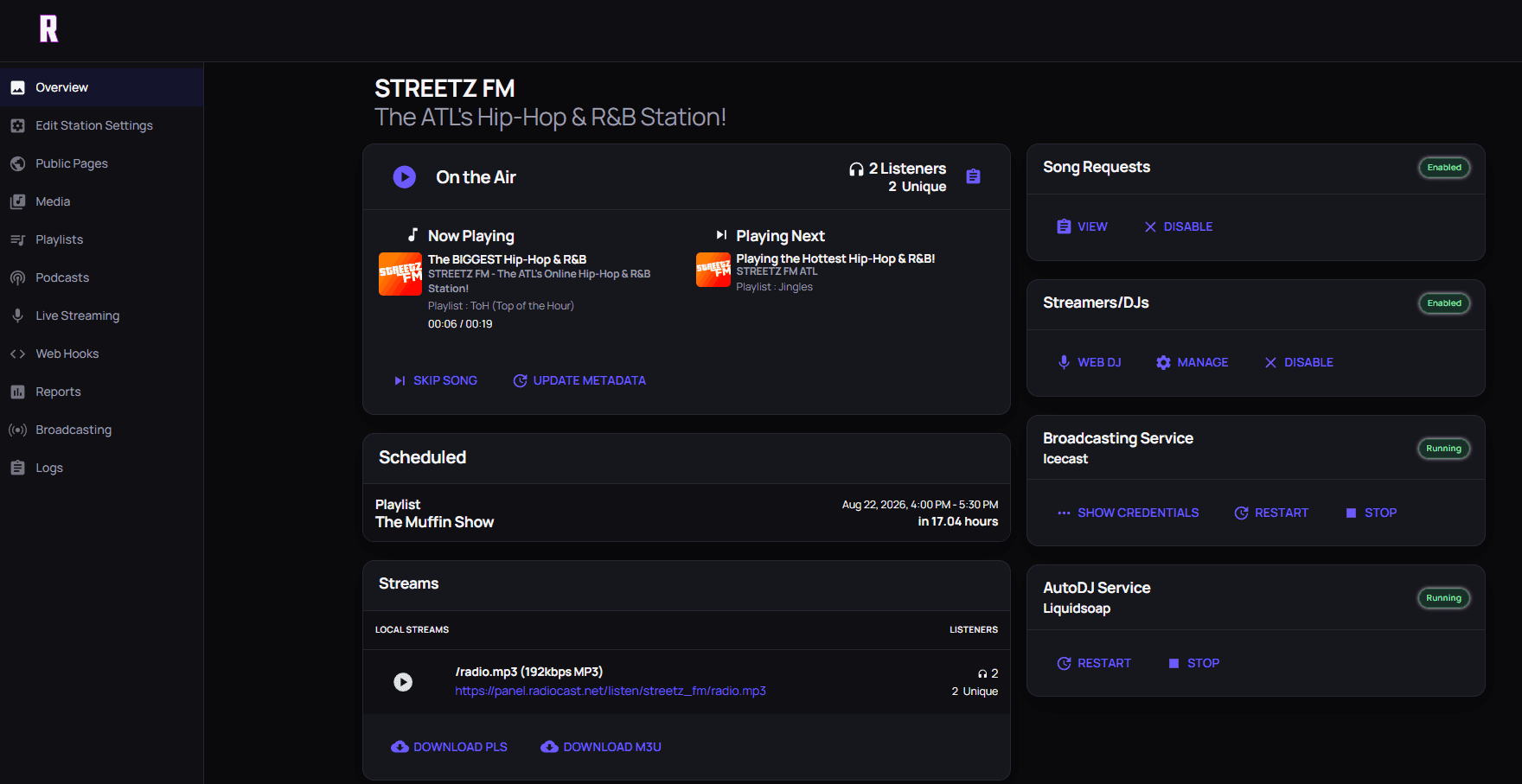
STREETZ FM, live on Radiocast.
Powering independent stations worldwide
STREETZ FM
 Moinesti FM
 Shockwaves Radio
 Mix97FMCase Study
Illusion Radio
 Open Air Broadcasters
 Coastal Radio
 Montburgh Radio
 IZA7A Magazine
 Blackbird Radio
 UNU
UNU
One control room
Run the whole station from one place.
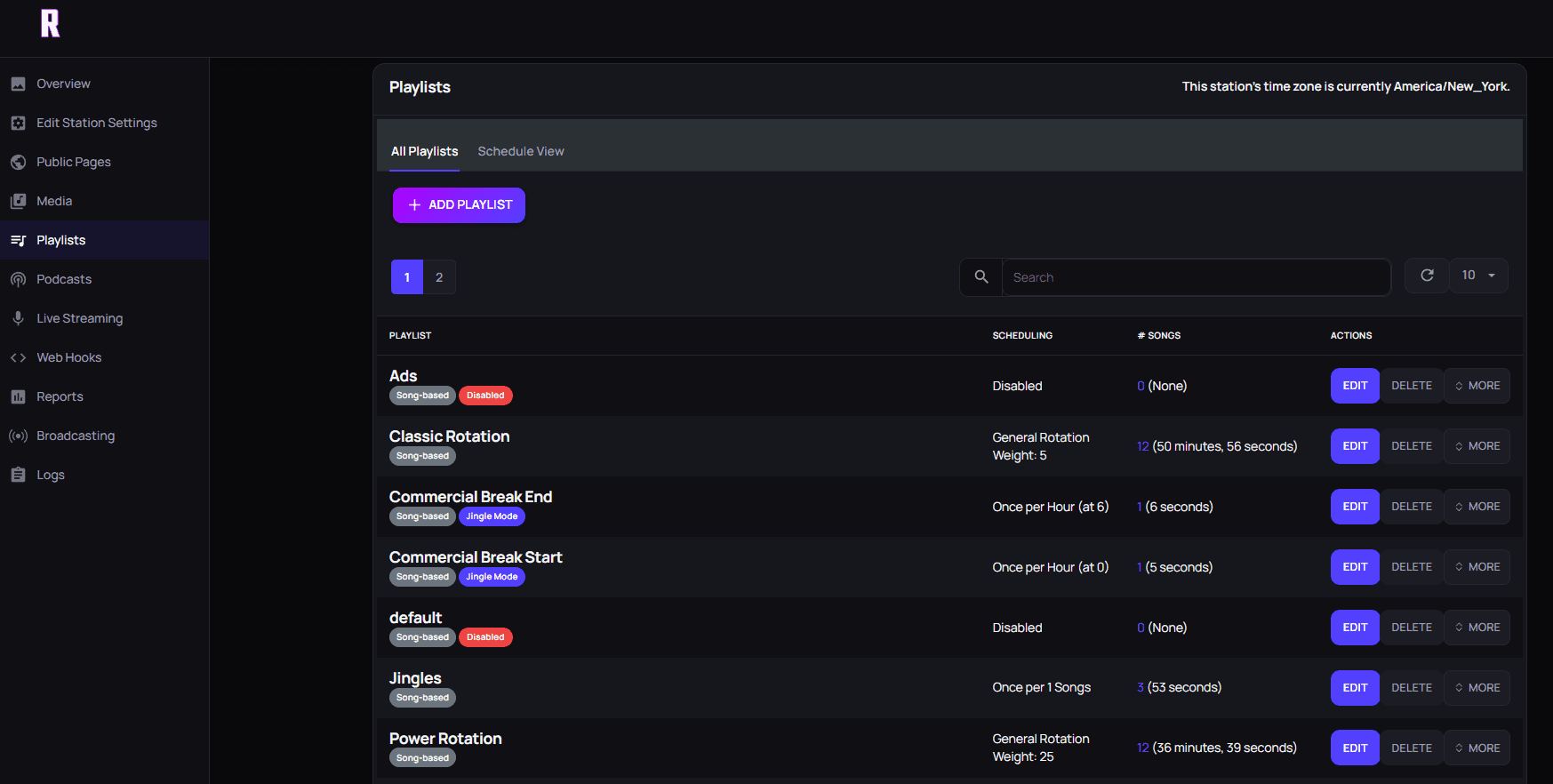
Program playlists, schedule shows, hand off to live DJs, and see who is listening from a single dashboard, without maintaining your own streaming server.
- AutoDJ and scheduled playlists
- Live DJ handoffs from the browser or an encoder
- Real-time listener analytics
- Station page and embeddable player
What internet radio hosting includes
A radio station on the internet needs more than a stream URL. It needs storage for music and station IDs, automation that fills the hours between live shows, a way for DJs to take over, delivery capacity for real listeners, and a player people can actually find. Internet radio hosting bundles those jobs so you program the station instead of running servers.
Every paid Radiocast plan includes 24/7 broadcasting, AutoDJ, music storage, scheduled playlists and rotations, DJ accounts, real-time analytics, geo-blocking and IP blocking, DDoS protection, backups, and monitoring. Listeners hear standard MP3/AAC streams at 192 kbps that play in browsers, mobile apps, and common internet radio players. You also get a station page on radiocast.net and an embeddable player for your own website.
Who web radio hosting is for
Web radio hosting suits anyone who wants a dependable, always-on stream without becoming a systems administrator: hobby DJs sharing mixes, independent music stations, churches and ministries streaming services and worship music, schools and universities running student radio, community radio groups, internet radio startups, and small networks operating more than one channel.
What these stations share is a small team. Managed hosting moves that infrastructure work to the host so the people you have can spend their time on programming. You can browse stations already broadcasting in the Radiocast station directory.
Online radio station hosting: how setup works
Setting up online radio station hosting follows the same five steps for most stations. First, choose a plan based on your expected peak listeners and library size. Second, upload your music, jingles, and station IDs; the storage planner estimates how much space a library needs. Third, build rotations and scheduled playlists so AutoDJ has something to play every hour.
Fourth, create DJ accounts and test a live takeover from the browser or from encoder software. Fifth, share your station page or embed the player on your site, and if you want more discovery, apply for a directory listing; listings are reviewed separately from hosting. For a guided walkthrough of formats, branding, and launch planning, see the Start Your Station academy course.
AutoDJ and scheduling that keep the stream on air
AutoDJ is the automation engine that plays your library when no one is broadcasting live. On Radiocast it is included with every paid plan and supports calendar-based scheduled playlists, music rotations, smart crossfades, and jingles or station IDs inserted on a schedule. Overnight hours, weekends, and gaps between shows stay programmed instead of falling silent.
Good scheduling mirrors how listeners experience a station: dayparts, recurring specialty shows, and predictable IDs at the top of the hour. Start with a simple rotation, listen through a full day of output, then refine. For a deeper look at rotations, crossfades, and live handoffs, read the guide to AutoDJ hosting.
Live broadcasting from the browser or your encoder
When it is showtime, DJs can go live straight from the browser with Web DJ, or connect encoder software such as BUTT, Mixxx, or Virtual DJ over Icecast using the credentials you issue. Listeners stay on the same stream URL throughout. When the DJ disconnects, AutoDJ resumes automatically, so a show that ends early or a dropped connection does not leave dead air.
DJ access scales with the plan: Professional includes a set of DJ accounts for a small presenter team, while Small Business and Radiocast Max include unlimited DJ accounts and HTTP livestreaming for stations with a full live schedule.
Shoutcast and Icecast compatibility
Shoutcast and Icecast are the two names most people know in radio streaming hosting. On Radiocast, live sources connect over Icecast, which most modern encoders support. Listener streams are standard MP3/AAC HTTP streams, so they work in the same browsers, apps, and internet radio players your audience already uses for Shoutcast and Icecast stations.
Radiocast does not run SHOUTcast DNAS servers or list stations in the SHOUTcast directory. If you rely on a specific Shoutcast encoder mode or are migrating from a Shoutcast host, contact support to confirm the setup first. Our Icecast vs Shoutcast comparison explains the protocol differences, and the Shoutcast hosting comparison covers moving a station.
Stream quality, bitrate, and listener capacity
Bitrate controls both sound quality and bandwidth. As a general guide, 64 to 96 kbps AAC or HE-AAC works well for talk and mobile-heavy audiences, 128 kbps is a solid general setting, and 192 kbps sounds strong for music. Bandwidth per listener roughly equals the bitrate, so a 192 kbps stream uses about 0.192 Mbps per listener, or around 86 MB per listening hour.
Professional, Small Business, and Radiocast Max stream at 192 kbps AAC/MP3, and every plan publishes a concurrent-listener cap instead of billing by listening hours. Estimate your needs with the bitrate calculator, and read choosing the best bitrate for your internet radio station for format-by-format advice.
Analytics, security, and listener reach
Real-time analytics show how many people are listening and where they are tuning in from, which helps you schedule shows when your audience is actually there. Geo-blocking and IP blocking let you restrict regions or abusive clients, and DDoS protection, backups, and monitoring are handled for you.
For reach, every station gets a page on radiocast.net and an embeddable player, plus an optional, reviewed listing in the Radiocast directory. Radiocast Max adds AirChain audio processing and a Radiocast Sites station website for stations that want a polished sound and a home page in one plan.
Radio streaming hosting plans and pricing
Professional costs $5.99/mo and includes 10 GB of storage, up to 100 concurrent listeners, multiple 192 kbps AAC/MP3 mounts, DJ accounts, and AutoDJ. Small Business costs $8.99/mo and raises that to 50 GB, up to 200 listeners, unlimited DJ accounts, HTTP livestreaming, and 100,000 Reporter credits per month.
Radiocast Max costs $19.99/mo with 75 GB, up to 500 listeners, AirChain, Radiocast Sites, and 500,000 Reporter credits per month. Enterprise and Reseller plans offer custom, higher-capacity setups quoted by the team. All plans can be cancelled anytime, and the full plan table appears below.
Managed hosting vs a self-hosted server vs free hosts
There are three common ways to put a station online, and each trades money for time differently. A self-hosted server gives you full control but makes you responsible for installation, updates, security, and outages. Free hosts cost nothing up front but usually come with limits that show up as your audience grows. Managed hosting costs a monthly fee in exchange for a complete, maintained station workflow.
If you are weighing open-source panels, see how managed AzuraCast hosting compares to running it yourself. If budget is the main concern, our guide to free radio hosting explains what free tiers typically include. You can also compare Radiocast with other hosting options.
| Decision area | Managed hosting | Self-hosted server | Free host |
|---|---|---|---|
| Monthly cost | Fixed plan fee | Server rental plus your time | No fee, with usage limits |
| Setup and updates | Handled by the host | You install, patch, and upgrade | Handled, with little configuration |
| AutoDJ and scheduling | Included and supported | Depends on the software you install | Often limited or unavailable |
| Listener capacity | Published per-plan cap | Limited by your server and bandwidth | Usually a low cap |
| Security and backups | DDoS protection, backups, monitoring | Your responsibility | Varies; often unstated |
| Best fit | Stations that want to focus on programming | Teams with server experience | Testing an idea or learning |
Before you decide
Before choosing an internet radio host, check for
- A published concurrent-listener limit, not surprise listening-hour overages
- Enough music storage for your library and station IDs
- AutoDJ with scheduled playlists, rotations, and crossfades
- Live DJ handoffs that return to AutoDJ automatically
- Standard MP3/AAC streams that play in common players
- DDoS protection, backups, and monitoring handled by the host
- A station page or embeddable player your audience can share
- Plans you can cancel or upgrade without a long contract
Find the plan for your station
Compare published monthly pricing and capacity. Every plan includes the tools to keep your station running.
Professional
$5.99/month
- 10GB music storage
- Up to 100 listeners
- 5 DJ accounts and AutoDJ
Recommended
Small Business
$8.99/month
- 50GB music storage
- Up to 200 listeners
- Unlimited DJs and live HTTP
Radiocast Max
$19.99/month
- 75GB music storage
- Up to 500 listeners
- 500,000 Reporter credits/month
Radiocast Enterprise
Contact us
- Up to 1TB music storage
- Unlimited listeners
- Dedicated managed AzuraCast
Radiocast Reseller
Contact us
- Unlimited stations and listeners
- Fully managed AzuraCast hosting
- White-label support
Prices shown monthly. Enterprise and Reseller options are tailored to your requirements; contact us for details.
Questions broadcasters ask
Full FAQRadiocast hosting
Build the station. We'll help keep it running.
Managed streaming, automation, and a clear path from your first listeners to a larger operation.