AutoDJ radio hosting
AutoDJ radio hosting that keeps your station on air 24/7
AutoDJ radio hosting plays your music library automatically, following the playlists, rotations, and schedule you set, so your station stays on air when nobody is live. Radiocast includes AutoDJ on every paid plan, starting at $5.99/mo, with live DJ takeovers that hand back to automation when the show ends.
- Stations launched
- 155+Stations launched
- Uptime target
- 99.99%Uptime target
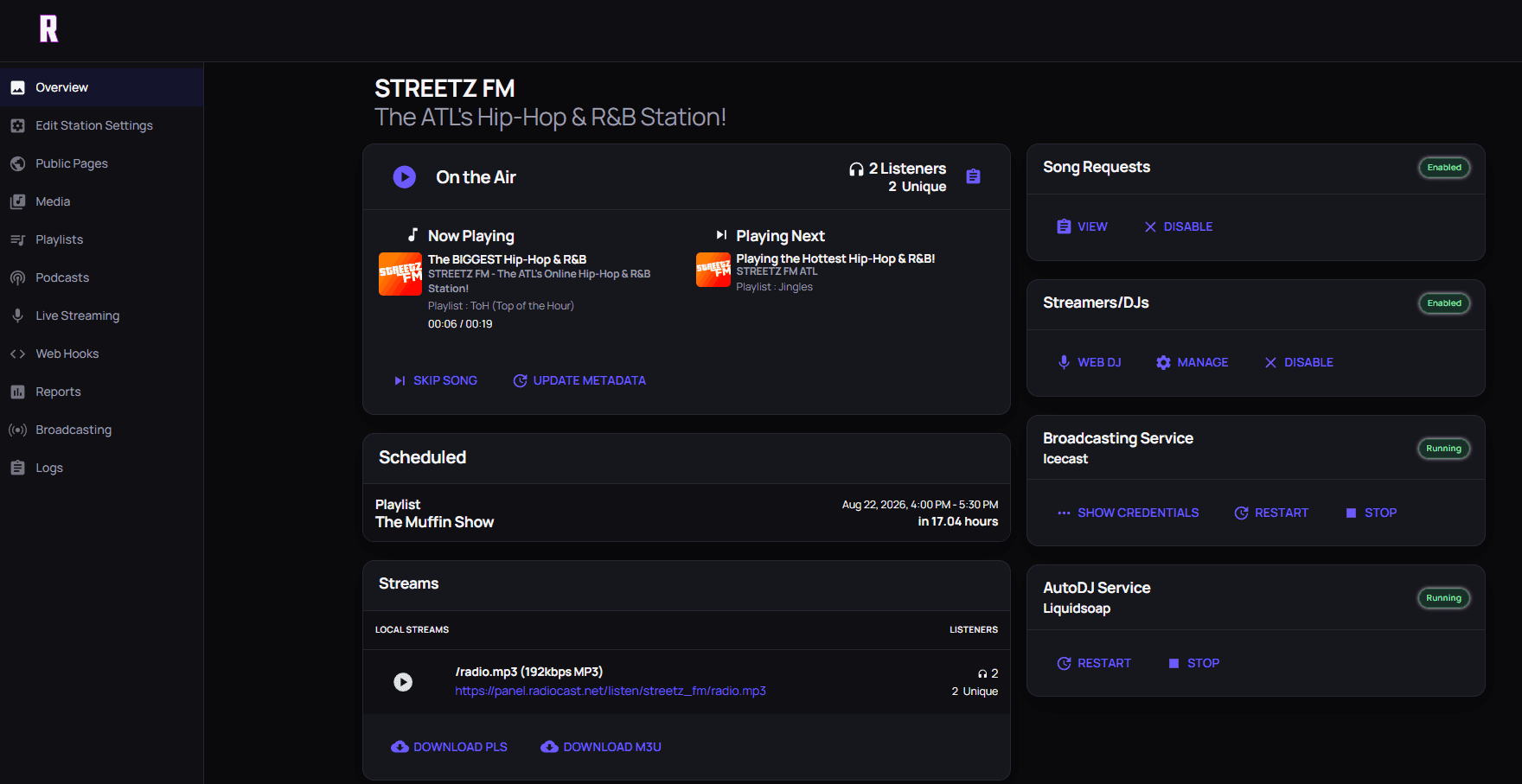
STREETZ FM, live on Radiocast.
Powering independent stations worldwide
STREETZ FM
 Moinesti FM
 Shockwaves Radio
 Mix97FMCase Study
Illusion Radio
 Open Air Broadcasters
 Coastal Radio
 Montburgh Radio
 IZA7A Magazine
 Blackbird Radio
 UNU
UNU
Program every hour
A schedule that keeps playing when the studio goes quiet.
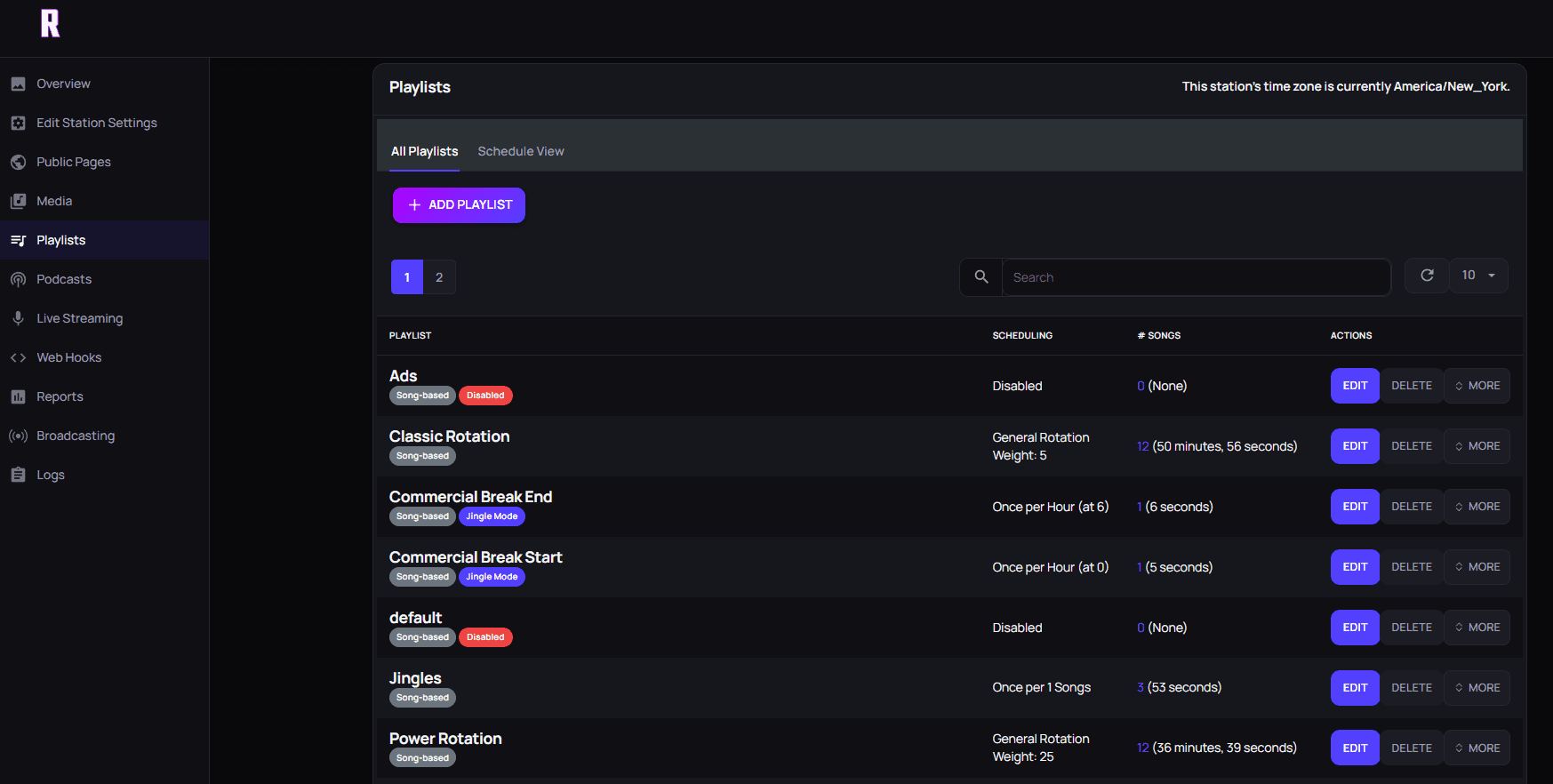
Build rotations and recurring playlists for the hours between live shows, then let presenters take over and hand back without dead air.
- Calendar-scheduled playlists
- Music rotations and smart crossfades
- Jingles and station IDs
- Live DJ takeovers
What is a radio AutoDJ?
A radio AutoDJ is automation software that runs on the hosting server and plays tracks from your uploaded library to your stream. Unlike a playlist on a home computer, it keeps playing when your laptop is closed, your internet drops, or the studio is empty overnight.
Good AutoDJ hosting is programming infrastructure, not a randomizer. It lets you control what plays when, how often songs repeat, where jingles and IDs land, and how tracks blend together. That structure is what helps a small-team station sound consistently programmed.
Playlists and rotations
Most stations organize their library into playlists by role: core music, newer tracks, specialty genres, station IDs, promos, and seasonal material. A rotation then draws from those playlists in a balanced way, so popular tracks come around regularly without repeating too often.
Start simple. A single core-music rotation with station IDs every few songs is enough to launch. Once you have listened through a full day of output, add categories and rules to fix what sounds off. The storage planner helps estimate how much space a growing library needs.
Scheduling dayparts and recurring shows
Scheduling turns a library into a station. With calendar-based scheduled playlists, you can run a morning mix on weekdays, a specialty block on Friday night, a prerecorded show every Sunday, and a quieter overnight sound, all without anyone pressing play.
Think in dayparts: what should listeners hear at breakfast, at work, in the evening, and overnight? Map those blocks first, then fill them with playlists. Keep a backup block ready for special events or missed shows so the schedule never leaves a gap.
Crossfades, jingles, and station IDs
Smart crossfades blend the end of one track into the start of the next, removing awkward silences between songs. Jingles and station IDs inserted on a schedule remind listeners what they are hearing and give automated hours the same identity as live shows.
Listen to your transitions on headphones and on a phone speaker. A fade that sounds smooth on studio monitors can feel abrupt on a small speaker, so tune the crossfade settings to the way most of your audience listens.
AutoDJ vs live broadcasting
AutoDJ and live shows work together rather than competing. When it is showtime, a DJ goes live from the browser with Web DJ or connects encoder software such as BUTT, Mixxx, or Virtual DJ over Icecast. The live source takes over the stream, and listeners stay on the same URL.
When the DJ disconnects, AutoDJ resumes automatically. A show that ends early, a presenter who loses connection, or a late start no longer means dead air. That is the main reason stations choose internet radio hosting with AutoDJ instead of streaming only from a studio computer. If you are still choosing a streaming server, see our Icecast vs Shoutcast comparison.
How to set up AutoDJ hosting
Setup follows five steps. Choose a plan and upload your music, jingles, and IDs. Organize them into playlists by role. Build a rotation and schedule your dayparts and recurring shows. Set your crossfade and test the station by listening through a few hours of output. Finally, create DJ accounts and rehearse a live takeover and the return to AutoDJ.
Every paid Radiocast plan includes AutoDJ. Professional ($5.99/mo) offers 10 GB of storage and up to 100 concurrent listeners. Small Business ($8.99/mo) raises that to 50 GB, up to 200 listeners, and unlimited DJ accounts. Radiocast Max ($19.99/mo) adds 75 GB, up to 500 listeners, and AirChain audio processing. All three stream at 192 kbps AAC/MP3. The full internet radio hosting guide covers everything else included, and managed AzuraCast hosting explains the panel you schedule from.
Before you decide
A practical AutoDJ launch checklist
- Organize music, IDs, promos, and shows into playlists by role
- Schedule one complete day and listen for awkward transitions
- Tune rotations to prevent quick repeats
- Check crossfades on headphones and a phone speaker
- Test a live DJ takeover and the return to AutoDJ
- Keep a backup programming block for special events or missed shows
Find the plan for your station
Compare published monthly pricing and capacity. Every plan includes the tools to keep your station running.
Professional
$5.99/month
- 10GB music storage
- Up to 100 listeners
- 5 DJ accounts and AutoDJ
Recommended
Small Business
$8.99/month
- 50GB music storage
- Up to 200 listeners
- Unlimited DJs and live HTTP
Radiocast Max
$19.99/month
- 75GB music storage
- Up to 500 listeners
- 500,000 Reporter credits/month
Radiocast Enterprise
Contact us
- Up to 1TB music storage
- Unlimited listeners
- Dedicated managed AzuraCast
Radiocast Reseller
Contact us
- Unlimited stations and listeners
- Fully managed AzuraCast hosting
- White-label support
Prices shown monthly. Enterprise and Reseller options are tailored to your requirements; contact us for details.
Questions broadcasters ask
Full FAQRadiocast hosting
Build the station. We'll help keep it running.
Managed streaming, automation, and a clear path from your first listeners to a larger operation.